
RealtyStarter – Free Responsive Real Estate Website Template
Build a professional, SEO-friendly real estate website fast with RealtyStarter — a free, multi-page HTML template featuring JSON data, dark mode, and mobile responsiveness.
- HTML
- CSS
- JavaScript
Template preview
Inside the template
Overview & setup
Looking to build a modern, responsive, and feature-rich real estate website for your personal brand, agency, or property listings platform?
Meet RealtyStarter, a beautifully crafted free template built with pure HTML, CSS, and JavaScript — no frameworks required. It’s designed to be fast, SEO-friendly, and easy to customize, perfect for students, developers, and real estate professionals who want a professional online presence without coding from scratch.
In this post, you’ll discover:
The features and structure of the RealtyStarter template
How to customize it for your agency or portfolio
How to host and deploy it easily online
Template Overview
The RealtyStarter Website Template comes with 15 pre-built pages, responsive layouts, and dynamic JSON-powered data. Every page has its own CSS file for simple editing — great for beginners learning to work with multi-page sites.
1. Header / Navigation
Sticky, responsive header with logo and menu links.
Hamburger menu for mobile screens with smooth open/close animation.
Built-in dark / light mode toggle using
localStoragefor persistence.Fully accessible with keyboard and ARIA attributes.
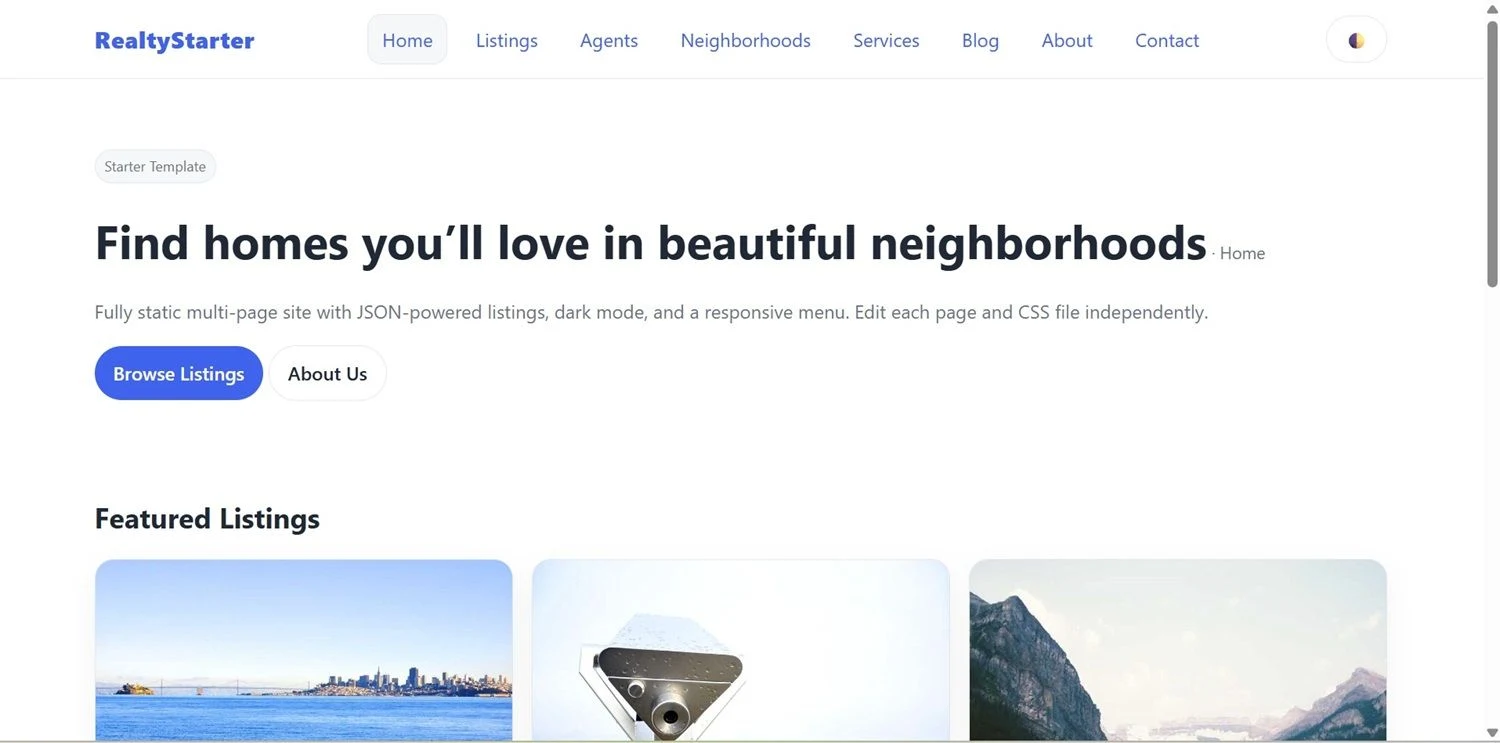
2. Homepage (Hero + Featured Sections)
Hero banner introducing your agency or tagline.
“Featured Listings” and “From the Blog” sections automatically load data from JSON files.
Clean card-style layout built with CSS Grid for performance and clarity.
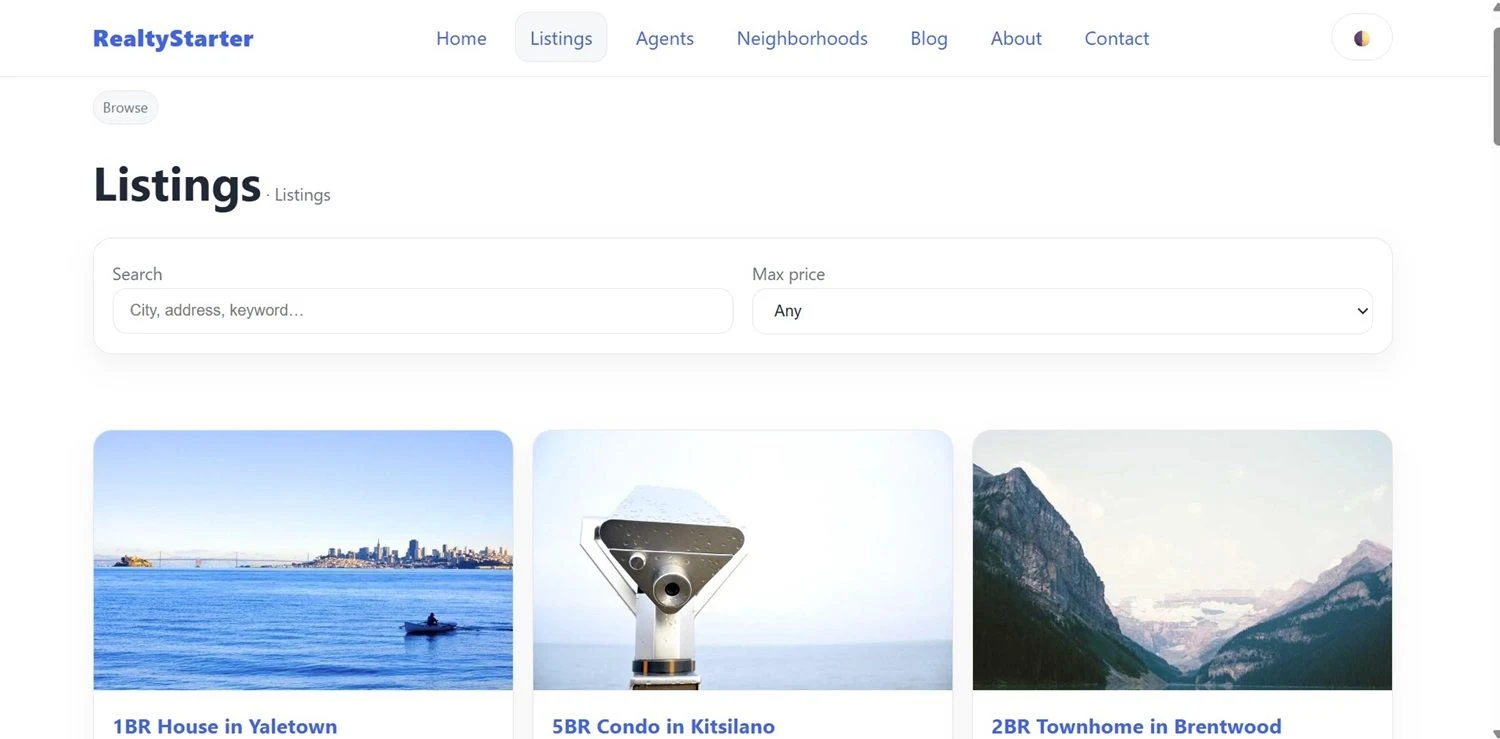
3. Property Listings Page
Dynamic property grid populated from
properties.json.Includes search and filter functionality (e.g., max price).
Each card links to its property detail page with full description, gallery, and agent info.
4. Agents & Profiles
Display your team using
agents.json.Each agent has a dedicated profile page with photo, bio, contact info, and linked listings.
5. Neighborhoods & Communities
Explore featured communities with images and summaries.
Each neighborhood detail page shows available properties in that area.
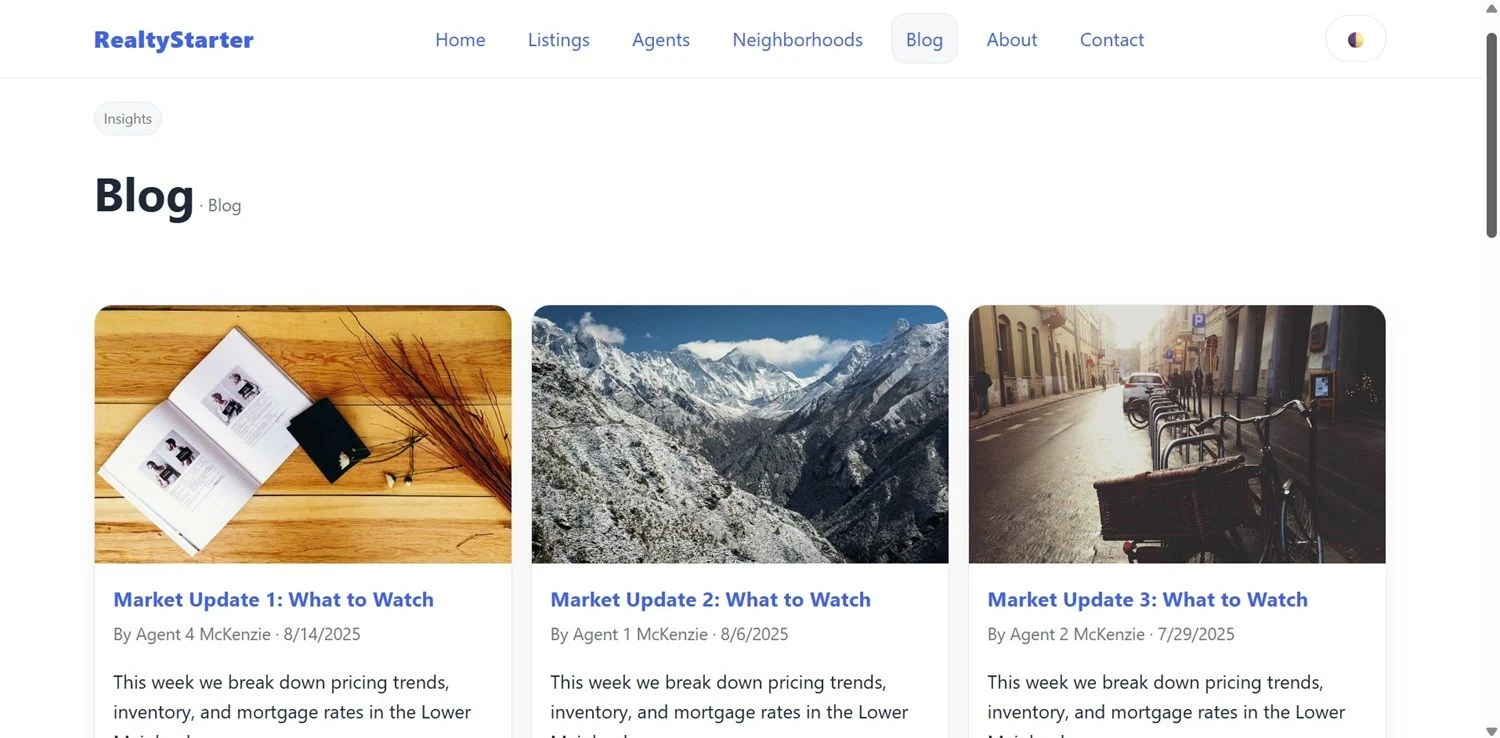
6. Blog Section
Integrated blog powered by
blog.json.SEO-ready structure with titles, meta info, excerpts, and post detail pages.
Great for sharing market trends, property tips, or company news.
7. About, Services & Contact Pages
About: tell your brand story and highlight your values.
Services: present your buying, selling, and property management offerings.
Contact: simple contact form (client-side) ready to connect to any backend or form handler.
8. Legal & FAQ
Pre-built FAQ, Privacy Policy, and Terms pages — essential for professionalism and SEO.
9. Footer
Clean footer with copyright, quick links, and consistent styling.
Uses semantic
<footer role="contentinfo">for accessibility.
How to Edit & Customize
All content and data are stored in the data/ folder using JSON files — no database needed.
properties.json— listings with images, price, and detailsagents.json— agent bios and contact infoneighborhoods.json— community data and descriptionsblog.json— article titles, images, and content
Each page has its own CSS file in assets/css/ (e.g., listings.css, about.css) and a shared common.css for global styles.
To change colors or themes, simply edit the CSS variables defined in :root inside common.css.
Styling & Responsiveness
Built with pure CSS (no frameworks) — easy to learn and modify.
Uses CSS Grid and Flexbox for responsive design.
Smooth transitions and accessible hover states.
Works on all modern browsers and mobile devices.
Dark/light mode automatically adapts to the user’s system theme and can be toggled manually.
Accessibility & SEO
Uses semantic HTML5 (
<header>,<main>,<section>,<article>,<nav>, etc.).Alt text, ARIA labels, and keyboard navigation included.
Loads fast with minimal dependencies.
SEO-friendly structure with clear headings and descriptive meta tags.
Installation & Setup
Because the template uses local JSON data, you must run it from a local or hosted server:
Local Preview
# Option 1: Python
python -m http.server 5500

# Option 2: VS Code Live Server extension
Then open:
http://localhost:5500/real-estate-starter/index.htmlDeploying Online
Upload the entire real-estate-starter/ folder to any web host or platform:
Netlify — drag-and-drop deploy
Vercel — import from GitHub
Hostinger / cPanel — upload files manually via FTP
No build step required — it’s static and ready to go.
Folder Structure
real-estate-starter/
 ├─ index.html
 ├─ listings.html
 ├─ agents.html
 ├─ ...
 ├─ assets/
 │   ├─ css/
 │   └─ js/
 ├─ data/
 │   ├─ properties.json
 │   ├─ agents.json
 │   ├─ neighborhoods.json
 │   └─ blog.json
 └─ README.md
Why Choose RealtyStarter
RealtyStarter is ideal if you want to:
Build a real estate website quickly with clean, editable code
Learn real-world web development structure (multi-page + JSON)
Customize each section without frameworks or build tools
Get a responsive, SEO-ready, accessible site out of the box
It’s also a great teaching resource — perfect for students learning HTML/CSS/JS through a real-world project.
Key Benefits
Fully responsive & mobile-ready
Built-in dark/light mode
Fast load times (no heavy frameworks)
Accessible & SEO-friendly markup
Easy JSON-based data management
Commented code for beginners
100% free to use and customize
Conclusion
Whether you’re a real estate agent, web design student, or freelancer, the RealtyStarter HTML Template gives you everything you need to launch a professional property website fast.
It’s elegant, lightweight, and simple to adapt — perfect for building your brand or showcasing listings with confidence.
Get the RealtyStarter Template today, customize it with your own listings, and launch a stunning real estate site in minutes!