
Free Restaurant Booking System Template (HTML, CSS & JavaScript)
Download a free Restaurant Booking System built with HTML, CSS, and vanilla JS/jQuery. Features guest checkout (no accounts), JSON menu/catalog data, mobile-first UI, dark/light mode, and a demo admin dashboard for orders, menu, and settings.
- HTML
- CSS
- JavaScript
Template preview
Inside the template
Overview & setup
Looking for a real-world template to demo restaurant discovery, ordering, and checkout—without user accounts or framework overhead? This Restaurant Booking System is a clean, fast, and fully responsive template built with HTML, CSS, and JavaScript (jQuery).
It ships with a JSON data source, a guest checkout flow, and a lightweight Admin area, allowing you to simulate orders, tweak menus, and adjust tax/delivery settings.
⚠️ Demo only: Payment and orders are simulated. Data is stored locally in the browser (no backend).
What’s Inside the ZIP
Customer-facing pages
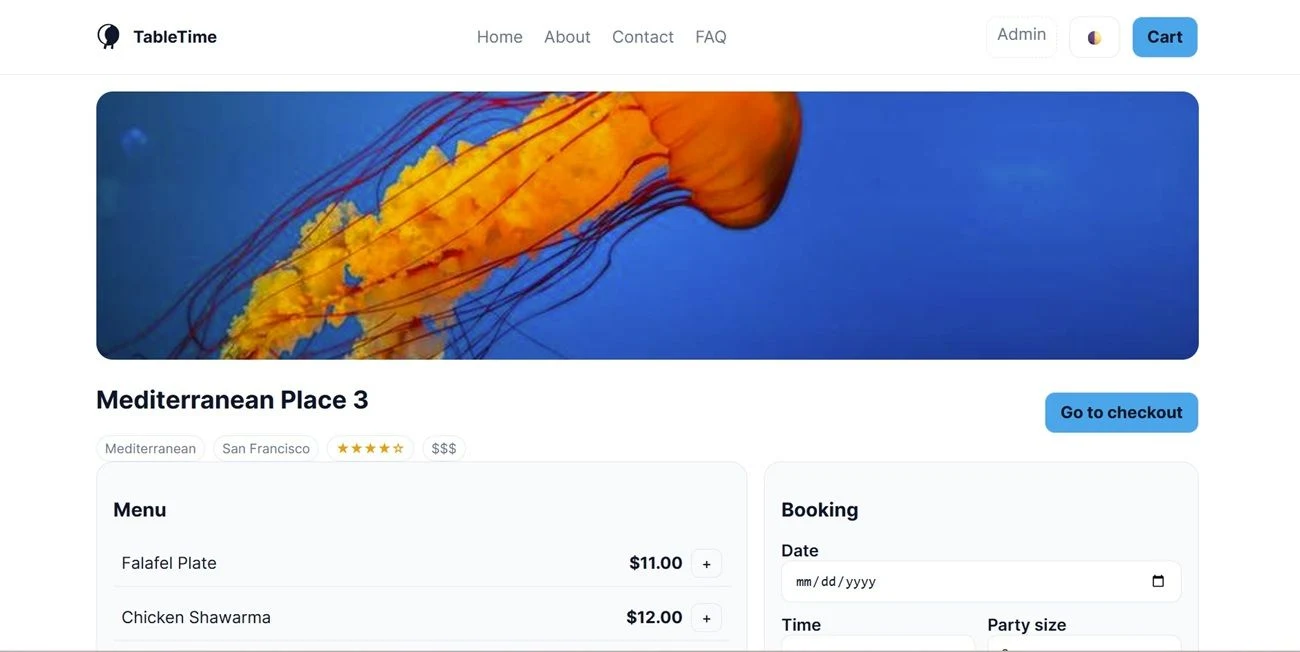
index.html— search & filter restaurants (by cuisine/city) with cardsrestaurant.html— details page with badges, rating, and menu + booking form
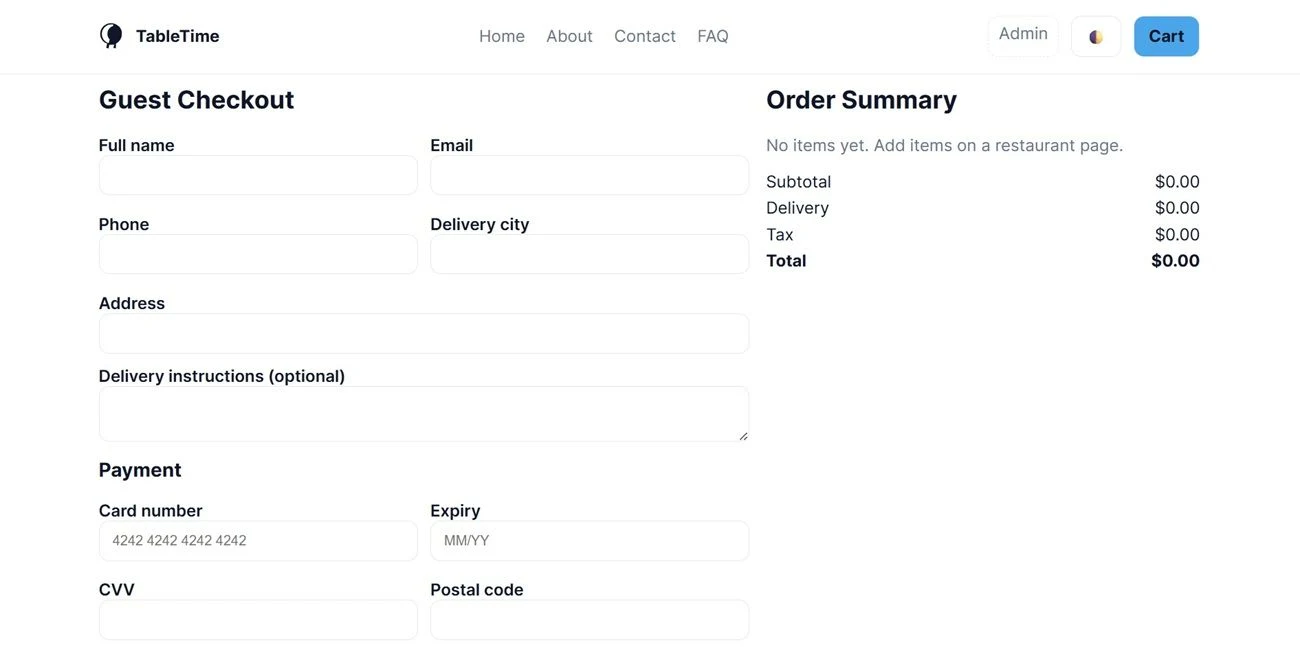
checkout.html— guest checkout (contact, address, simulated payment)confirm.html— order confirmation with totals and booking summaryabout.html,contact.html,faq.html,terms.html,privacy.html,404.html
Admin (demo)
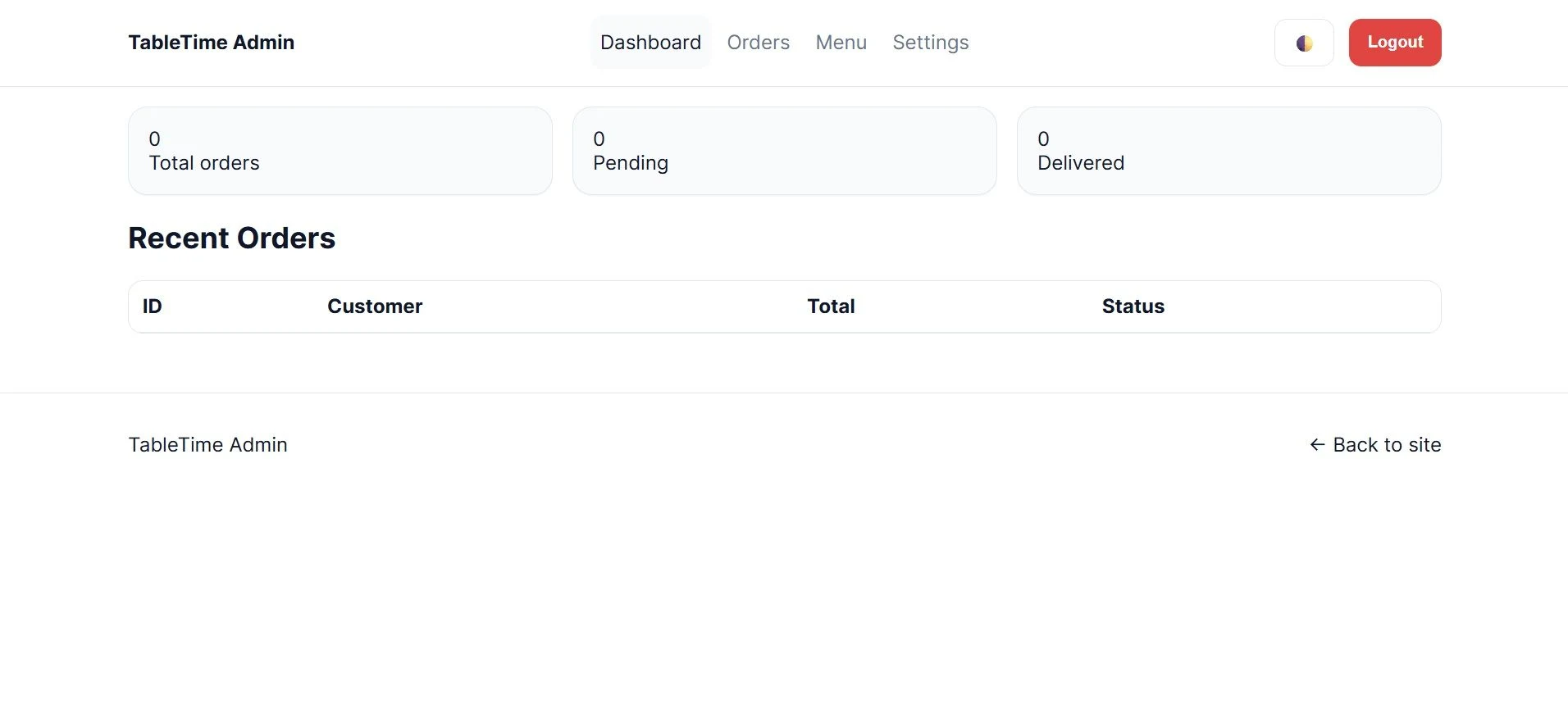
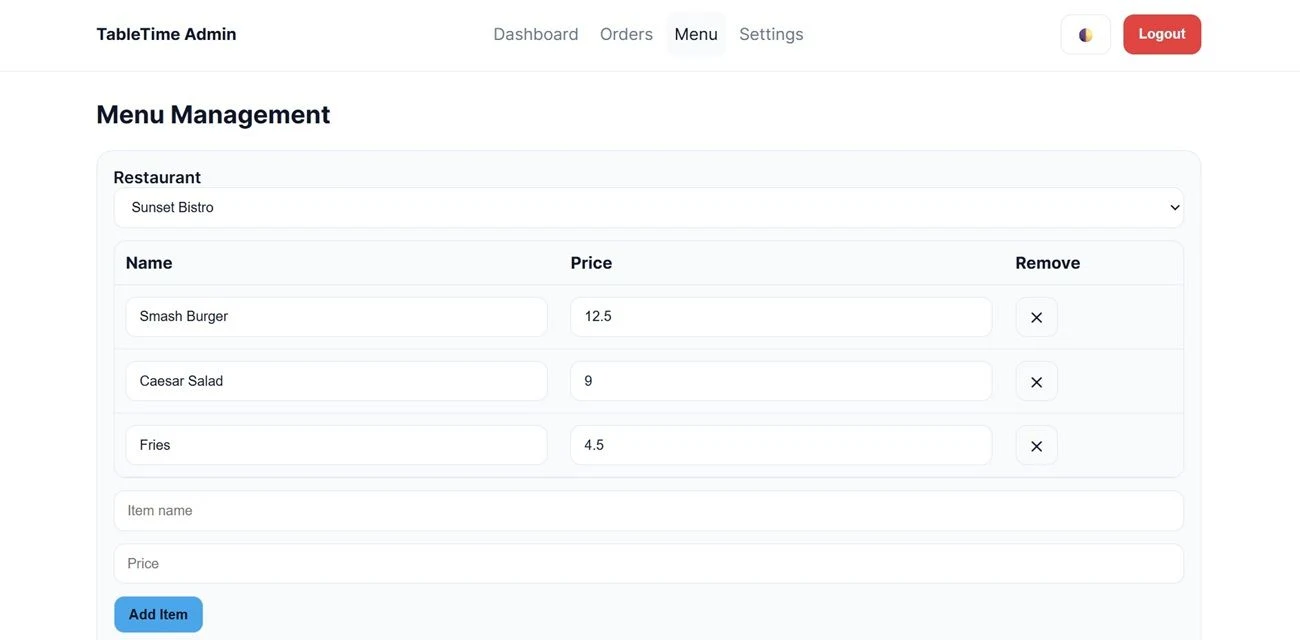
admin/login.html— login (any email) + passwordadmin123admin/dashboard.html— stats (total, pending, delivered) + recent ordersadmin/orders.html— list orders; update status (Pending → Delivered, etc.)admin/menu.html— edit items per restaurant (saved to localStorage)admin/settings.html— set delivery fee and tax rate (used at checkout)
Assets & Data
assets/style.css— responsive styles + dark/light mode variablesassets/script.js— routing, cart, booking, admin logic, and theme toggledata/restaurants.json— 24 sample restaurants with menus, prices, ratings
Key Features (Built Around Your Template)
1) Guest Checkout — No Accounts
Every user is treated as a guest: add dishes, enter email/address, and complete a simulated payment. No login or profile is required.
2) JSON-Driven Catalog & Menus
The entire catalog (24 restaurants) loads from data/restaurants.json. You can swap in your own restaurant/menu data without touching the JS.
3) Mobile-First + Dark/Light Mode
The UI is responsive out of the box, featuring a thumb-friendly layout and a dark/light mode toggle that is saved per user in localStorage.
4) Realistic Admin Demo (Local Only)
Dashboard: Order counts and quick overview
Orders: Update statuses (Pending, Preparing, Out for delivery, Delivered)
Menu: Add/edit/remove items per restaurant (persisted locally)
Settings: Delivery fee and tax (%) applied to checkout totals
5) Local-Only Data Storage
Carts, orders, settings, and menu overrides are stored in localStorage. Nothing leaves the browser—great for demos, tutorials, and student projects.
Folder Structure
Here’s what’s inside the Restaurant-Booking ZIP:
Restaurant-Booking/
├─ index.html                → Home page (restaurant catalog)
├─ restaurant.html           → Individual restaurant page (menu + booking)
├─ checkout.html             → Guest checkout page
├─ confirm.html              → Order confirmation page
├─ about.html                → About the demo project
├─ contact.html              → Contact page
├─ faq.html                  → Frequently Asked Questions
├─ terms.html                → Terms & Conditions (demo only)
├─ privacy.html              → Privacy Policy (demo only)
├─ 404.html                  → Not-found fallback
│
├─ admin/
│   ├─ login.html            → Admin login (password: admin123)
│   ├─ dashboard.html        → Overview of totals and orders
│   ├─ orders.html           → Order list with status updates
│   ├─ menu.html             → Menu editor (add/remove items)
│   └─ settings.html         → Tax and delivery configuration
│
├─ assets/
│   ├─ style.css             → Global styles, responsive layout, theme variables
│   ├─ script.js             → Core logic (cart, admin, theme toggle, JSON loader)
│   ├─ about.css             → About page styles
│   ├─ contact.css           → Contact page styles
│   ├─ faq.css               → FAQ page styles
│   ├─ privacy.css           → Privacy page styles
│   └─ terms.css             → Terms page styles
│
├─ data/
│   └─ restaurants.json      → JSON content (24 restaurants, menus, details)
│
└─ docs/
    ├─ readme_template_guide.md
    └─ Restaurant_Booking_Template.pdf
How It Works (Quick Tour)
Discover & Filter On
index.htmlUsers search by name/cuisine and filter by city. Cards show cuisine, city, rating, and price bracket.Restaurant Page
restaurant.htmldisplays details, a menu list with “add” buttons, and a booking form (date/time/party size) that saves to the cart.Guest Checkout On
checkout.htmlUsers enter name, email, phone, address, and (simulated) card fields. Totals reflect delivery fee + tax from Admin → Settings.Confirmation
confirm.htmlshows a human-readable order ID, items, charges, and any booking details saved earlier.Admin Area
Log in with any email + password
admin123Dashboard summarizes order stats
Orders lets you update statuses
The menu lets you edit items per restaurant
Settings controls the delivery fee and tax for pricing math
Customization Guide
Content & Data
Restaurants & Menus: Edit
data/restaurants.json(IDs, names, cuisines, cities, items, and prices).Static Pages: Update copy in
about.html,contact.html,faq.html,terms.html, andprivacy.html.
Customization Guide
Edit content:
Modify text or page layout directly in the HTML files.
Change theme colors:
Tweak CSS variables in
assets/style.cssunder:rootand[data-theme="dark"].
Update restaurant data:
Edit or replace
data/restaurants.json. Each restaurant object includes name, city, cuisine, rating, and menu array.
Modify behavior:
All interactivity (cart, checkout, admin actions) lives in
assets/script.js.
Behavior
Cart & Booking: Logic lives in
assets/script.js(cart persistence, booking form state, totals).Admin: Also in
assets/script.js— menu overrides and settings persist in localStorage.
Quick Start
Unzip the template.
Run a local server (browsers block AJAX on
file://): Then openhttp://localhost:8000/in your browser.
# Option 1: Using Python
python -m http.server 5500

# Option 2: Using VS Code
Install “Live Server” and click “Go Live”
Then open:
http://localhost:5500/index.html3. Browse & order (demo): add dishes, fill guest checkout, confirm.
4. Admin demo: go to /admin/login.html, use any email + password admin123.
5. Customize: edit restaurants.json, tweak styles, change fees/tax in Admin → Settings.
Deploying Online
The template works anywhere — it’s a static site, so there’s no build step needed.
You can host it on:
Netlify — drag and drop your folder
Vercel — import directly from GitHub
Hostinger / cPanel — upload manually via FTP
Who This Is For
Students learning real UX flows (search, menu, cart, checkout, admin).
Developers building demos, prototypes, or case studies without backend setup.
Designers & PMs who need a believable end-to-end restaurant flow for presentations.
SEO Tips for Your Project Page
Use a descriptive H1: “Free Restaurant Booking System Template (HTML/CSS/JS)”
Add alt text to images (restaurant cards, icons).
Link internally to Terms/Privacy/About/FAQ.
Add Open Graph/Twitter meta tags for shareable previews.
Include keywords naturally: restaurant booking template, guest checkout, HTML, CSS, JS, admin dashboard, dark mode, JSON data.
License & Demo Notice
This project is provided for educational/demo use only. Orders and payments are simulated; no real processing occurs. If you extend or share, a link back is appreciated.
Wrap-Up
Your Restaurant Booking System template delivers a polished, mobile-first guest checkout experience powered by HTML, CSS, and JavaScript—with JSON data, dark mode, and a convincing Admin demo. It’s perfect for learning, pitching concepts, and bootstrapping portfolio pieces—without spinning up a backend.
Download it, run locally, and start customizing your own restaurant experience today.